
Installation instructions
Complete software installation instructions for the HDS (2018+) and Pictor scanners.
Contact us if you have an older model.
The installation files are available below, please select the correct one for your scanner.
Note: Registration system
There are two registration systems:
- The current registration requires a Filmfabriek USB registration key that can be plugged into any workstation and makes it easy to switch between computers. It does NOT require activation with the C2D registration tool and gives access to newer versions of the control software (scanners delivered from end 2021 up to today).
Contact us if you want to upgrade to the USB registration system.
Filmfabriek USB key:
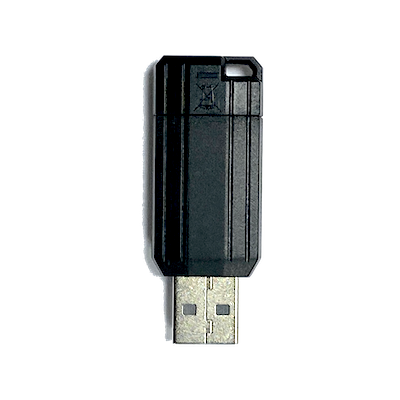 or
or 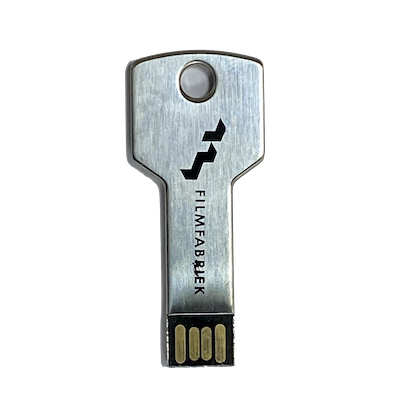
- The previous registration system required a Control ID code and limited your license to one computer on which you had to run the C2D registration tool (scanners delivered in 2018-2021).
Cine2Digits
The control software Cine2Digits (C2D) comes in several versions for the various scanners, generations, and registration systems. Download the correct one below.
Follow the instructions provided above to install it, or if you are just updating, go to “Add or remove programs” from the Windows Start menu and uninstall the previous version of Cine2Digits, then run this installer.
HDS+
With Filmfabriek USB registration key:
Cine2Digits version 3.6.3 (only for 2K and 4K camera)
Cine2Digits version 3.6.5 (only for 5K camera)
Without USB registration key:
Cine2Digits version 3.4.7
Models older than 2018: contact us
Pictor
With Filmfabriek USB registration key: Cine2Digits version 4.2.03
Without USB registration key: Cine2Digits version 4.0.36
ActiveUSB
ActiveUSB comes in several versions for the various scanners, generations, and registration systems. Download the correct one below. Do not install another version (such as the one found on ActiveUSB’s website), they are not adapted for our scanners.
Follow the instructions provided above to install it, or if you are just updating, go to “Add or remove programs” from the Windows Start menu and uninstall the previous version of ActiveUSB, then run this installer.
HDS+
With Filmfabriek USB registration key (from mid 2021 up to today): ActiveUSB version 3.4.0.3
Without USB registration key (2016-mid 2021): ActiveUSB version 2.5.3
Pictor
With Filmfabriek USB registration key (from 2021 up to today): ActiveUSB version 3.4.0.3
Without USB registration key (2019-2020): ActiveUSB version 3.1.0.4
Cine2Digits Registration (optional)
If you do not have a Filmfabriek USB registration key, you need to register the software using the following tool. See instructions.
C2D Registration tool (ZIP-FILE)
FF Transcode
Easy media transcoding software and scanner audio recordings processor
Download FF Transcode manual
Download FFmpeg installation instructions
Download FF Transcode Installer (requires activation codes)
Download FF Transcode Installer (trial version)