Why is my film not equally lit? Corners are darker (HDS)
Vignetting
In photography and optics, vignetting is a reduction of an image’s brightness or saturation toward the periphery compared to the image centre. Such an effect can be visible in photographs of projected images or videos off a projection screen, resulting in a so-called “hotspot” effect.
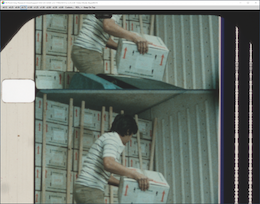
Example of vignetting caused by the light source

Example of vignetting caused by the lens of the film camera
Problem
The film is not equally lit. I see dark parts on (one of) the frame corner(s).
Solution
1. First check if the vignetting is not caused by the original camera that shot the film. Often the lenses weren’t that good and vignetting was caused by the lens itself, and processed in the film. It is likely that all corners have more or less the same amount of vignetting. You can easily check this by moving the sensor up down / left right. If the vignetting is equally shifting with the frame, and stays in the same area on the frame, it is in the film and there is no fix.
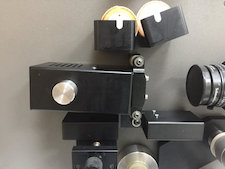
2. Check if the led light source is horizontal. If not, loosen the light source by turning the silver bolt counter clockwise and shift the whole led box.
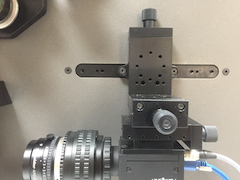
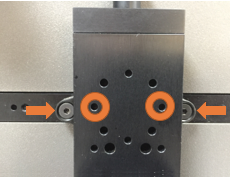
3. As the light source is a circle, the sensor sometimes can be too high or too low to be within the range of the light source. This occurs during setting up the vertical framing / position of the sensor. The Allen bolts that holds the sensor on the scanner need to be in line with the centre little holes of the sensor mount.