
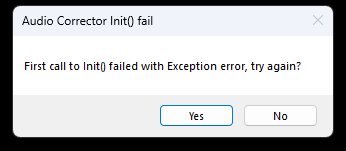
Cine2Digits Audio not detected / Audio Corrector Init() fail
When this pop-up is shown during startup, some required Windows software is not present. This could happen when upgrading to W11.
If you go to the installation folder of C2D on your computer (the default location is “C:\Program Files (x86)\Cine2Digits”) and double-click on “VC_redist.X86.exe” these files will be installed.
Restart your computer and start C2D again.
If this still fails, please try the same procedure with the newest version of the file that can be downloaded here: https://aka.ms/vs/17/release/vc_redist.x86.exe